
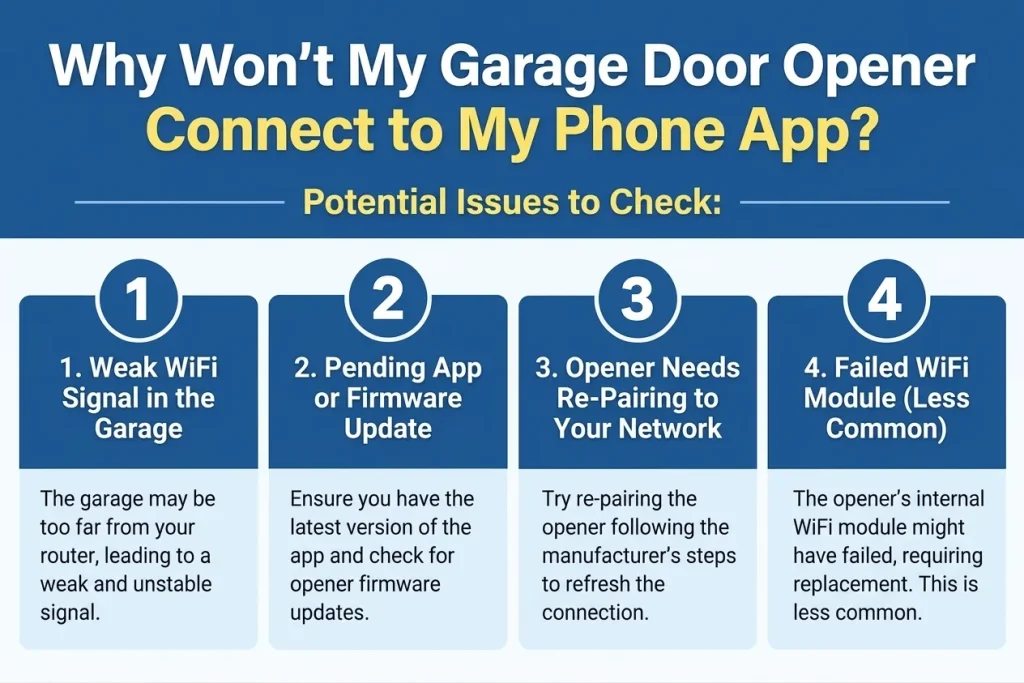
A smart garage door opener that shows offline or won’t pair with its app almost always comes down to one of four things: weak WiFi signal reaching the garage, a pending app or firmware update, the opener needing to be re-paired to your network, or a router change that broke the existing connection. The mechanical side of the opener (motor, gears, sensors) is usually working fine even when the app says otherwise, since app connectivity and mechanical operation run on two separate systems inside the unit, a distinction worth knowing before booking garage door opener repair for what might just be a network issue.
Key Takeaways
- The app showing “offline” doesn’t mean the opener is broken. In most cases, the door still opens and closes normally with the wall switch or remote.
- Weak WiFi signal in the garage is the single most common cause, especially in garages set back from the router or built with metal doors that block signal.
- Router changes (a new router, a password change, upgrading to a mesh system) are a frequent, overlooked cause of a previously working opener suddenly going offline.
- Removing and re-adding the device in the app forces a fresh pairing and resolves many stuck connections that a simple retry won’t fix.
- If reconnecting repeatedly fails after signal and software are both confirmed fine, the opener’s WiFi module itself can fail even when everything else works.
- Garages built with block or stucco construction, common across the Mesa Valley, can weaken WiFi signal further compared to standard drywall interior walls.
- A garage sitting on the opposite side of the house from the router faces the toughest signal path of all, since it has to pass through the most walls.
What’s Behind the Disconnect
Symptom | What’s Happening | Fix Difficulty |
App shows offline, door still works normally | Weak WiFi signal in the garage | Easy, self-service |
Connection worked before, stopped suddenly | App or firmware out of date | Easy, self-service |
Stopped right after a router change | Opener needs re-pairing to network | Easy, self-service |
Signal strong, software current, still fails | Failed WiFi module | Needs a technician |
1. Weak WiFi Signal in the Garage
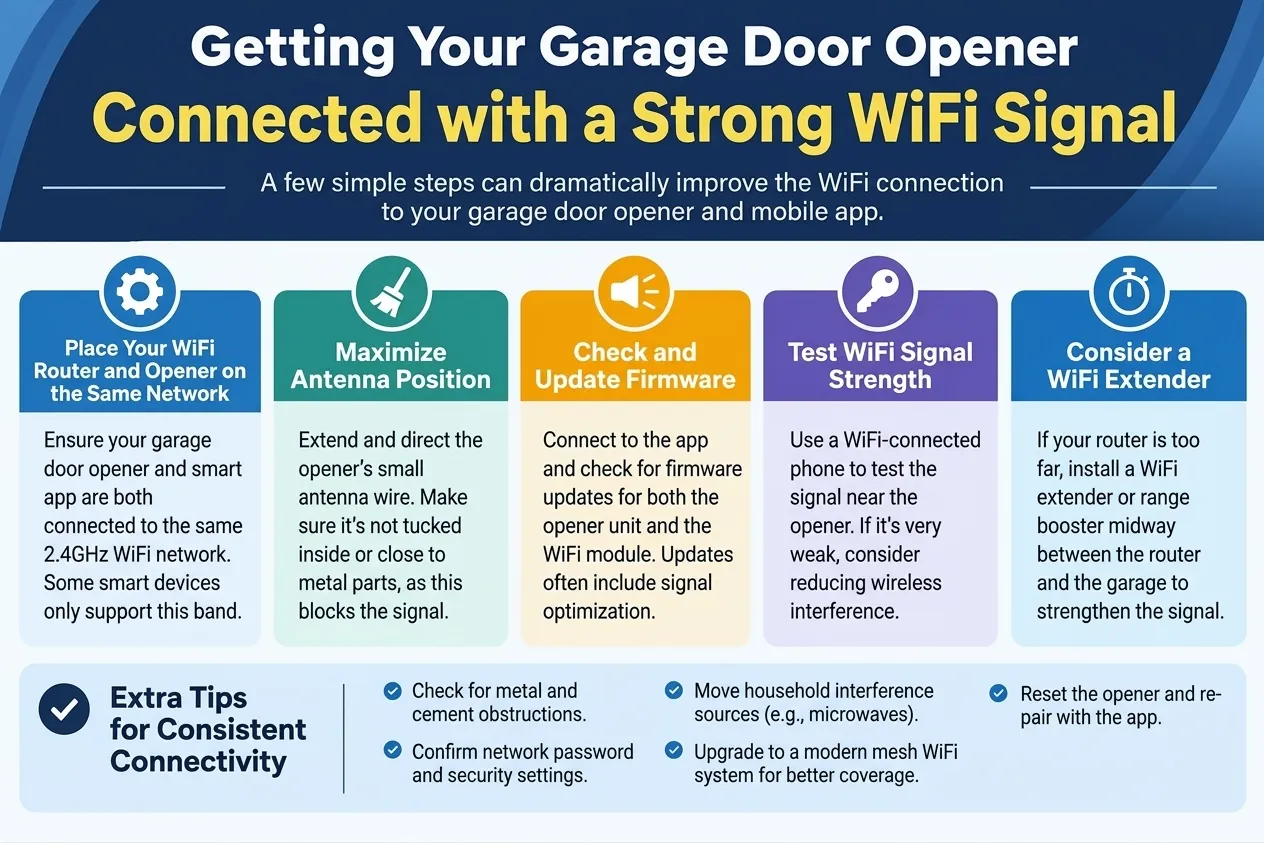
Garages are often the weakest WiFi spot in the house: they’re frequently at the far end of the floor plan, farthest from the router, and metal garage doors and framing can block signal further on top of that distance. In many homes, the garage was never really considered a “connected” space until smart openers, doorbell cameras, and EV chargers made it one.
How to tell: Stand near the opener with your phone and check your WiFi signal strength. If it’s one bar or shows “weak,” this is very likely the cause. It’s also worth testing at different times of day, since signal can vary if other devices in the house are competing for bandwidth.
What helps: A WiFi extender or mesh access point placed closer to the garage solves this more often than people expect, often turning a one-bar signal into a strong, stable connection. Some smart openers also support a wired ethernet connection as an alternative, which sidesteps the WiFi signal question entirely if a cable run to the garage is practical.
How to Fix Weak WiFi for a Garage Door Opener
Before assuming the opener itself is defective, always confirm the WiFi signal actually reaches the mounting location. This single check resolves the majority of “won’t connect” cases, and it costs nothing to test.
If the opener also hums without moving the door, that’s a separate mechanical issue; read Why Is My Garage Door Opener Humming But the Door Won’t Move? for that path.
2. Pending App or Firmware Update
Smart opener apps and the opener’s own firmware update periodically, and a connection can silently fail if one side is out of date while the other has moved on to a newer protocol or security requirement. This is easy to overlook since neither the app nor the opener necessarily alerts you clearly that an update is the reason for the disconnect.
How to tell: Check your phone’s app store for a pending update to the opener’s app, and check the manufacturer’s app for a firmware update prompt on the device itself. Some apps will show a small notification badge or a banner at the top of the screen when an update is available.
What helps: Update both the app and the opener’s firmware, then attempt to reconnect. Doing both together matters, since updating only one side can sometimes create a temporary mismatch that looks like a new connectivity problem.
How to Update Smart Garage Door Opener Firmware
Firmware updates typically happen through the same app used to control the opener day to day, so there’s usually no separate download or tool needed beyond keeping the app itself current.
For other common issues beyond app connectivity, from noisy motors to sensors that won’t align, read Why Won’t My Garage Door Opener Work? 9 Common Problems and How to Fix Them.
3. Opener Needs Re-Pairing to Your Network
This is especially common after any router change: a new router, an ISP-provided equipment swap, a WiFi password update, or switching to a mesh system. The opener’s WiFi credentials are stored on the device itself, so anything that changes the network on the other end leaves the opener trying to reach a connection that no longer exists in the same form.
How to tell: If the opener worked fine before a recent network change and stopped exactly after, this is almost certainly the cause. The timing is usually the biggest clue here, more than any specific error message the app shows.
What helps: Remove the device from the app completely, then re-add it following the manufacturer’s pairing steps. This forces the opener to connect to the current network rather than trying to reach the old one, which a simple “reconnect” button often can’t do on its own.
If you’re already re-pairing the device, it’s worth reading DASMA’s safety tips for garage door openers, which cover the rolling-code remote security that many smart openers build on.
How to Re-Pair a Smart Garage Door Opener to WiFi
Removing and re-adding the device, rather than just retrying the existing connection, is the fix that actually works in most of these cases. A simple “reconnect” attempt often just repeats the same failed handshake with outdated network information.
If a power outage or surge disrupted the opener’s saved settings, read Why Does My Garage Door Opener Stop Working After a Power Outage?, since this same re-pairing step is often needed there too.
4. Failed WiFi Module (Less Common)
If the signal is strong, the software is current, and re-pairing still fails, the opener’s internal WiFi module itself may have failed. This is uncommon compared to the first three causes, but it does happen, particularly on units that have been through several firmware update cycles or extreme heat exposure in an uninsulated garage.
Angi’s comparison of garage door opener types specifically notes that smart openers are more prone to connectivity issues and app glitches than standard models, which is the tradeoff for the convenience they offer.
How to tell: The mechanical functions (wall switch, remote) still work normally, but the app connection never succeeds no matter how many times you retry pairing. Repeated failed pairing attempts, after confirming the signal and software are both fine, are the clearest sign.
Call a pro if: you’ve ruled out the first three causes. In rare cases, the WiFi module can be a separate replaceable component, but this needs professional diagnosis to confirm whether repair or replacement makes more sense for your specific model.
Signs a Garage Door Opener’s WiFi Module Has Failed
The mechanical opener working perfectly while the app connection never succeeds, despite a strong signal and current software, is the pattern that points here. A technician can check this during a routine garage door maintenance visit, even if connectivity wasn’t the original reason for the call.
Getting Your Opener Back Online
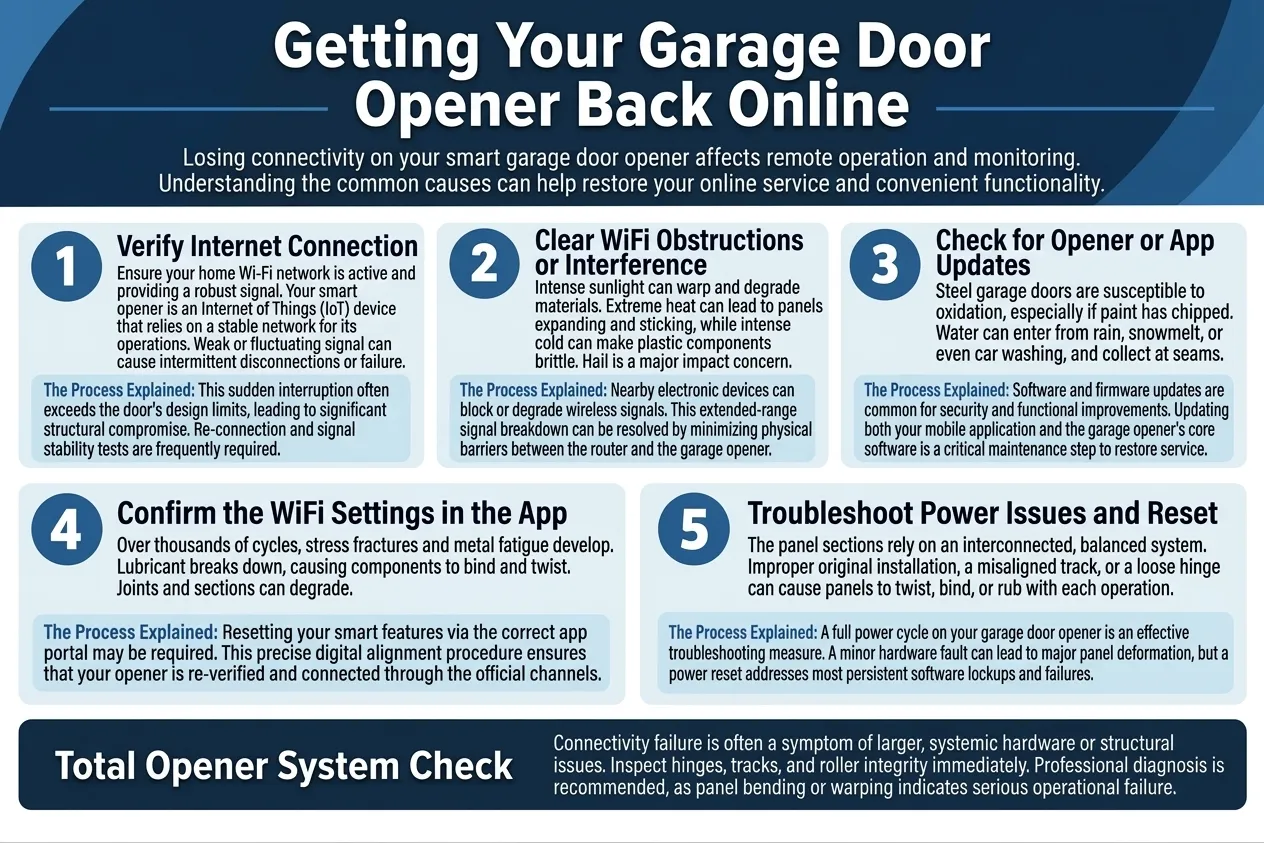
Check WiFi signal strength first, since it’s the most common cause and the easiest to fix. If the signal is strong, update everything, then remove and re-add the device rather than just retrying the connection. Most connectivity problems resolve with the steps above, without ever needing a service call.
JT’s Overhead Doors can diagnose whether a stubborn connection issue is a network problem or a hardware failure, and we work with the major smart opener brands across Mesa and the surrounding valley. If reconnecting still isn’t working after trying all four causes, contact us today or give us a call.