
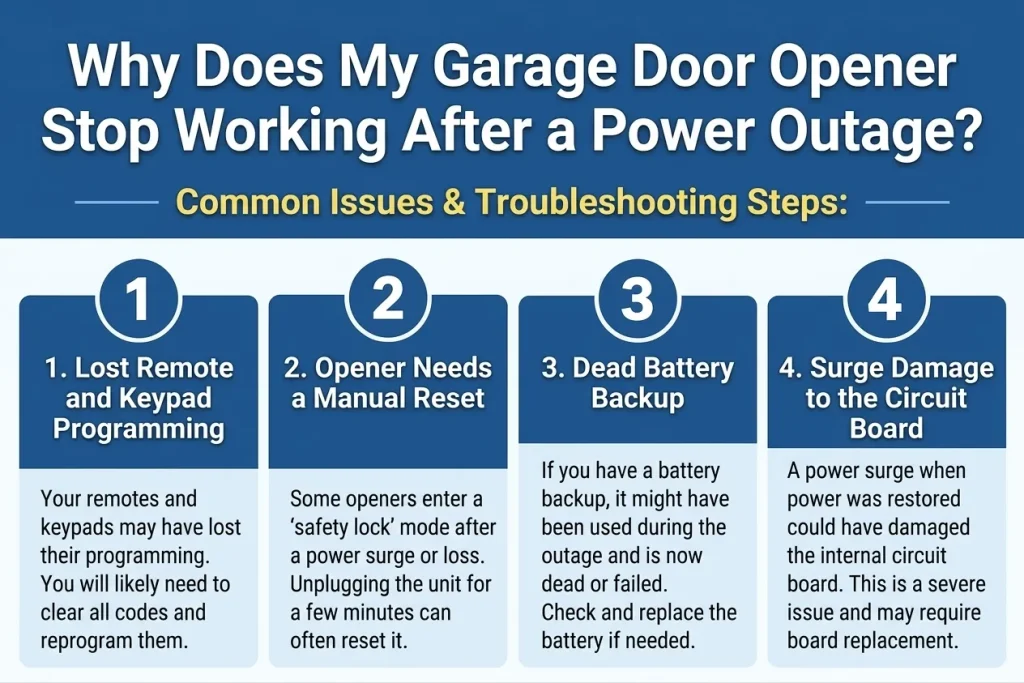
A garage door opener that stops working after a power outage usually has one of four problems: it lost its remote and keypad programming, it needs a manual reset that many models require after power loss, the battery backup (on models that have one) is dead, or a power surge during the outage damaged the circuit board. The first three are quick fixes. The fourth needs garage door opener repair from a technician. Arizona’s monsoon season, which brings both outages and surges together, is when we see the highest volume of these calls each year.
Key Takeaways
- Lost programming is the most common post-outage issue, and also the quickest to resolve, usually taking just a few minutes per device.
- Many openers manufactured in the last several years require a specific manual reset sequence after any power loss before they’ll respond normally again, which can look like a bigger failure than it actually is.
- If your opener has a battery backup, check that battery specifically. It’s easy to overlook since the main issue seems to be the outage itself rather than a separate aging component.
- Surge damage to the circuit board is the one cause on this list that requires professional repair or replacement, and it’s the one worth ruling out first for safety reasons.
- A burnt smell, scorch marks, or an opener that won’t power on at all are signs of surge damage, not just lost programming, and shouldn’t be treated the same way.
- An outage and a surge aren’t the same event. A brief outage with no surge rarely damages anything; it’s the return of power, or a lightning strike, that typically causes the surge itself.
Diagnosing the Post-Outage Failure
Cause | Warning Sign | Urgency |
Lost remote/keypad programming | Wall switch works, remotes don’t | Low |
Manual reset needed | No response at all after power restored | Low to moderate |
Dead battery backup | Battery-status light shows low or dead | Low |
Surge-damaged circuit board | Burnt smell, scorch marks, or no response despite power | Same day |
1. Lost Remote and Keypad Programming
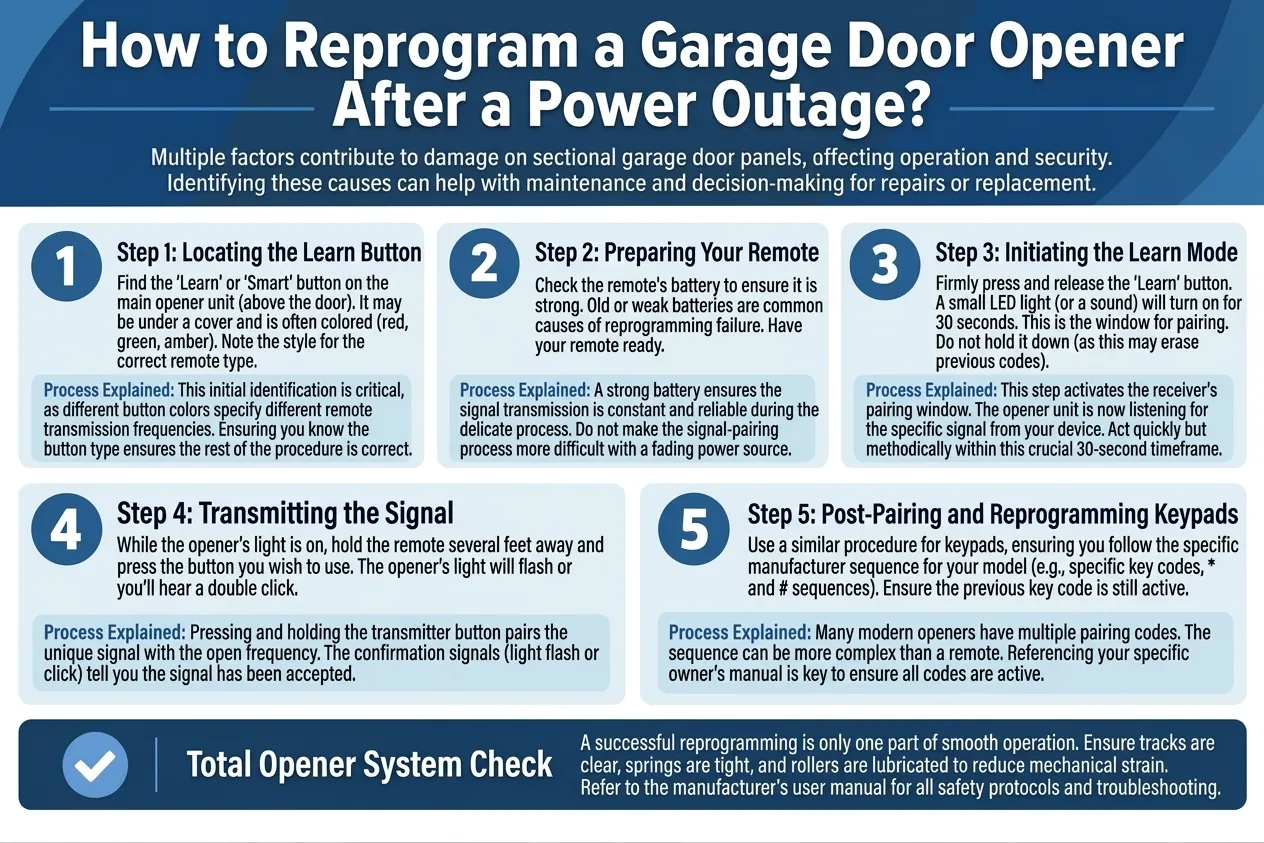
Some openers, particularly older models, lose their stored remote and keypad codes when power is cut, even briefly, because that information is held in a type of memory that clears without a steady power source. Newer models are generally better about retaining this data, but it’s still one of the most common calls we get after any outage.
How to tell: The opener responds to the wall switch normally, but remotes and any keypad codes do nothing, as if they’d never been programmed in the first place.
What helps: Reprogram each remote and keypad following your opener brand’s “learn button” process. This typically takes a few minutes per device, and the steps are usually printed in the opener’s manual or available on the manufacturer’s website if the manual has been misplaced.
How to Reprogram a Garage Door Opener After a Power Outage
Reprogramming is the single most common fix after an outage, and it doesn’t require any tools, just the learn button on the opener unit and each remote or keypad you use. It’s worth doing this check before assuming anything more serious is wrong.
If the opener also hums without moving the door, that’s a separate mechanical issue unrelated to the outage; read Why Is My Garage Door Opener Humming But the Door Won’t Move? for that path.
2. Opener Needs a Manual Reset
Many modern openers, especially those with smart or battery-backup features, require a specific power-cycle or reset sequence before they’ll operate normally again after losing power. This is a built-in safety and stability feature, not a defect, though it can be confusing when the opener seems totally unresponsive right after power returns.
How to tell: The unit shows no response at all, even to the wall switch, despite power being restored and confirmed at the outlet.
What helps: Check your specific model’s manual for its reset procedure. This commonly involves unplugging the unit, waiting a set amount of time, and plugging it back in, sometimes while holding a specific button on the motor unit itself.
If you’re handling this manually anyway, read UL 325, the industry safety standard covering automatic garage door operators, which requires every opener to include a manual release handle specifically for situations like a power outage.
Call a pro if: the documented reset procedure doesn’t restore function after being followed correctly.
If your opener is a smart model, it may also need to reconnect to your WiFi network after this reset; read Why Won’t My Garage Door Opener Connect to My Phone App if the app still shows it offline afterward.
How to Manually Reset a Garage Door Opener After Power Loss
The exact sequence varies by brand and model, so checking the manual for your specific unit rather than a generic guide is worth the extra minute, especially on smart openers with battery backup.
3. Dead Battery Backup
Openers with battery backup are designed to keep working through a power outage using the backup battery, which lets the door still open and close even when the house has no power at all. If that battery is old or dead, the unit may seem to fail during the outage even though the mechanical opener is otherwise completely fine.
How to tell: Check for a battery-status light on the opener unit. Most models indicate low or dead backup battery status clearly, often with a distinct color or blink pattern separate from other diagnostic indicators.
What helps: Replace the backup battery per the manufacturer’s specifications. This is a straightforward swap on most models, typically accessible from a compartment on the motor unit without needing to open the main housing.
How to Replace a Garage Door Opener Backup Battery
Backup batteries typically need replacement every 2 to 3 years even without any outages, since they degrade with normal use regardless of how often they’re actually called on. If yours has never been replaced and is several years old, that’s worth checking regardless of the current problem, and it’s an easy addition to your next garage door maintenance visit.
For other common opener issues, from grinding noises to smart openers that won’t connect, read Why Won’t My Garage Door Opener Work? 9 Common Problems and How to Fix Them.
4. Surge Damage to the Circuit Board
This is the cause to watch for specifically after storms, since power surges (not just outages) can damage the sensitive electronics inside the opener even when the mechanical parts, motor, gears, and drive belt or chain, are completely fine. A surge often happens at the moment power is restored, not during the outage itself, which is why the timing can feel confusing.
Ready.gov’s guidance on power outages specifically flags that power restoration itself can bring a brief surge capable of damaging plugged-in equipment, which is exactly the scenario that puts an opener’s circuit board at risk.
How to tell: Look and smell for signs of electrical damage: a burnt odor, visible scorch marks, or an opener that shows absolutely no signs of life (no lights, no clicks) even when you’ve confirmed power is present at the outlet with another device.
Call a pro if: you notice any of these signs. Surge damage to a circuit board isn’t something to attempt to diagnose or repair yourself, both for safety and because it typically requires the full logic board to be replaced rather than a simple component swap.
Signs of Surge Damage to a Garage Door Opener Circuit Board
A burnt smell or scorch marks combined with complete unresponsiveness, even with confirmed power at the outlet, is the pattern that separates surge damage from a simple lost-programming or reset issue.
Getting Your Opener Running Again
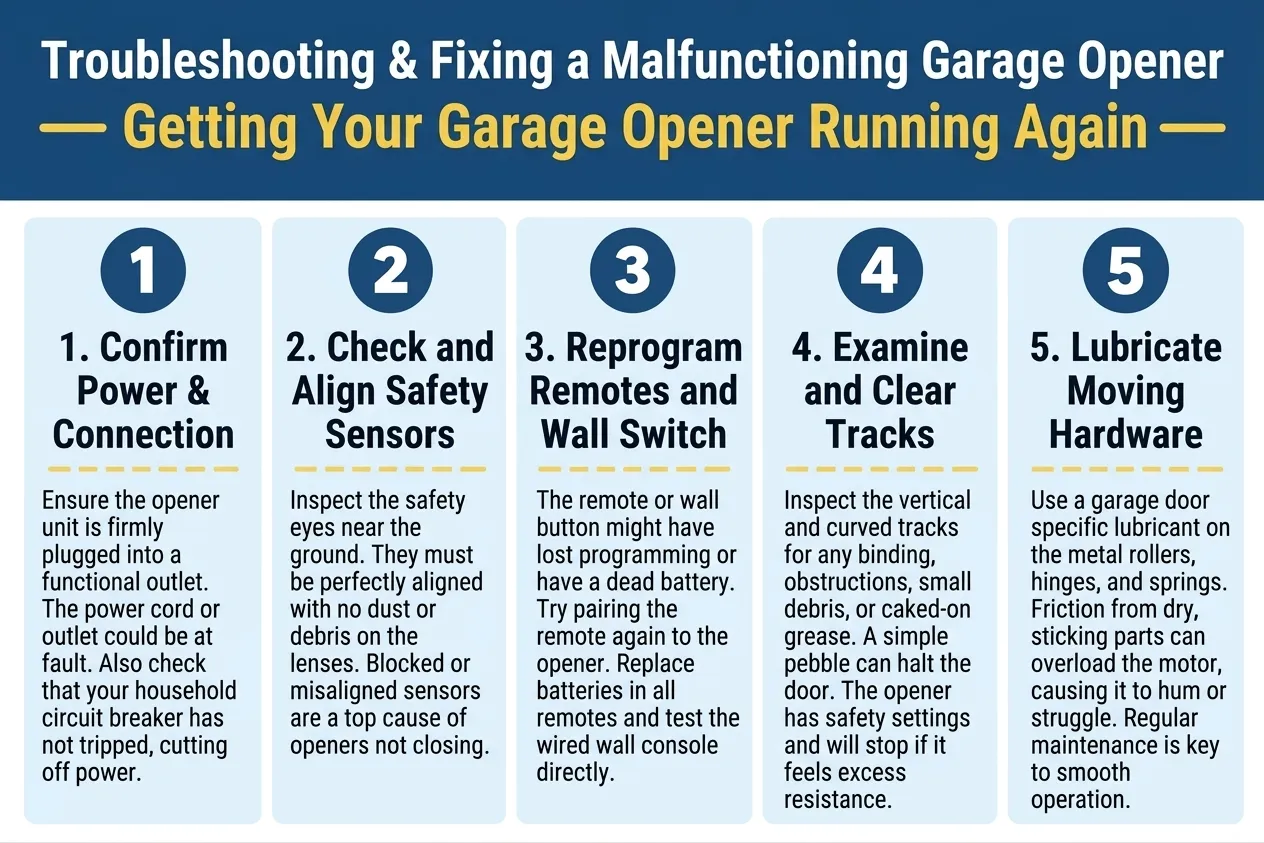
After any outage or storm, check for signs of surge damage first (burnt smell, scorch marks, complete unresponsiveness), since that determines how quickly it needs professional attention. If there’s no sign of damage, reprogramming remotes and checking the reset sequence solves the large majority of post-outage issues within a few minutes.
JT’s Overhead Doors offers same-day diagnostic service across Mesa and the surrounding valley whenever surge damage is suspected, and we carry replacement circuit boards for the major opener brands. If your opener still isn’t responding after a storm, contact us today or give us a call.